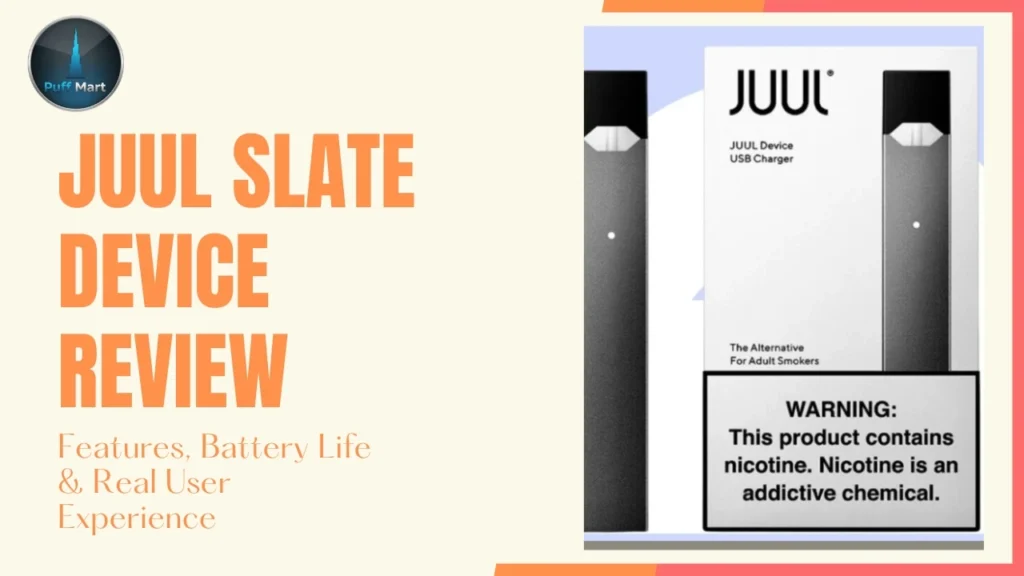


Warnings: Nicotine is an addictive substance. This product contains nicotine and is not suitable for non-smokers, pregnant women, or persons under 18.
Your JUUL device not charging is usually caused by dirty contacts, a weak charger, or a dead battery. These three issues cover 90% of all JUUL charging problems reported by UAE users. Most fixes take under five minutes at home.
Clean the gold contacts with a dry Q-tip, try a different 5V/1A wall adapter, and tap the device 3–4 times to reset. This solves most JUUL charging issues instantly.
Quick Check Your JUUL Device Before You Start.
Most people jump straight into fixes without knowing what’s actually wrong. That wastes time. These two checks take 30 seconds and pinpoint the exact problem before you touch anything else. Run both before trying any fix.
Before trying any fix, run these two checks first. They take 30 seconds and tell you exactly where the problem is.
Check 1 — Read the LED Light:
- White steady light = charging is working normally
- Flickering light = poor magnetic connection
- No light at all = charger or contacts have failed
Check 2 — Double-Tap Battery Level:
- Green = high battery
- Yellow = medium battery
- Red = critically low, needs immediate charge
These two checks tell you whether the issue is the charger, the contacts, or the battery itself. Knowing this narrows your fix to one or two steps instead of guessing through all of them.
A healthy JUUL 2 device charges fully in 45–60 minutes. If yours shows no LED or takes longer, move straight to the fixes below.
The Real Reasons Your JUUL Isn’t Charging
A JUUL charging issue almost always has a clear, fixable cause. The problem is most users skip diagnosis and go straight to random fixes. Understanding why it stopped charging gets you to the right solution faster.
Most JUUL charging problems trace back to one of these six causes:
- Dirty charging contacts: Dust buildup, pocket lint, and connector residue block the electrical connection between the device and the dock. Dubai vapers found this happens faster due to UAE sand and humidity.
- Fake or cheap charger: Poor voltage output and weak magnetic connection mean the battery never gets stable power. Counterfeit chargers often show an LED light but never actually charge.
- Wrong power source: Laptop USB ports and car chargers deliver inconsistent power, especially for a dead battery.
- Fast charger damage: Anything above 5V/1A slowly damages the internal chip over repeated charge cycles.
- Water or heat exposure: Temperatures above 45°C, common inside parked Dubai cars, degrade battery chemistry rapidly.
- Internal chip glitch: The device freezes and stops recognizing the charger entirely, even when everything else works.
The good news is that five of these six causes are fully fixable at home without any tools. Only physical internal damage or a completely dead battery requires a replacement. Identifying the right cause first saves you from trying fixes that won’t work.
Fixes That Actually Work (In Order of Likelihood)
These fixes are ranked by how often they actually solve the problem. Start from the top and work down. Most users fix their JUUL within the first two steps.
Skipping ahead wastes time and risks missing the real cause. Each fix takes under five minutes and requires no special tools.
Clean the Contacts First
Cleaning the charging contacts solves most JUUL charging problems in under two minutes. Dip a cotton swab in rubbing alcohol and wipe the two gold charging pins at the JUUL base. Clean the metal pins inside the charging dock the same way, let dry for 60 seconds, then retry.
Regular vapers reported that visible dark residue on the battery connector is a clear sign contacts are the issue. If the LED lights up immediately after cleaning, the problem is solved.
Check Your Charger
A faulty charger causes slow or zero charging even when the LED appears active. Use only a 5V/1A wall adapter. Fast chargers above 10W damage the internal chip over time. In UAE vape shops, customers reported that replacing a cheap charger fixed their JUUL instantly.
Signs your charger is the problem: no magnetic click when docking, cable bends loosely, or charger gets warm during use. Replace it with a genuine JUUL charger from a trusted source like JUUL Dubai retailers.
Reset the Device
A soft reset fixes internal chip freezes that stop charging detection. Remove the pod, tap the device firmly on your palm 3–4 times, reinsert the pod, then place it on the charger.
Vapers in Dubai noted this fix works especially when the LED shows zero response despite a working charger. The tapping motion resets the airflow sensor and internal chip connection. It costs nothing and takes 20 seconds.
Fix the Power Source
Charging from a laptop USB port often fails when the battery is fully dead. Laptop ports deliver inconsistent power, which is not enough to wake a completely drained JUUL battery.
UAE users confirmed switching to a wall adapter immediately restored charging in most dead-battery cases. Avoid car chargers and power strips. Use a dedicated wall adapter with stable voltage output for the fastest and safest charge cycle.
For Completely Dead Batteries
A fully dead JUUL battery needs 15–30 minutes on charge before showing any LED response. Leave it connected to a wall adapter uninterrupted for up to 2–3 hours if needed.
Customers reported that patience here prevents them from incorrectly assuming the device is broken. Do not unplug and replug repeatedly; this interrupts the charge cycle and delays battery calibration recovery.
Still Not Working? Check These Too
If none of the main fixes worked, the problem is deeper than contacts or charger. These three causes are less common but responsible for the cases that don’t respond to standard fixes.
They are harder to spot because the damage is often internal and silent. Check each one carefully before deciding the device is beyond repair.
Water or Heat Damage
Water damage and heat exposure destroy the battery connector and internal wiring silently. If your JUUL got wet, remove the pod, shake gently, and leave it in a dry room for 24 hours before retrying. Never use a hair dryer; direct heat causes permanent internal chip damage.
Heat exposure above 45°C, common inside parked cars in Dubai summers, degrades battery chemistry rapidly. Always store your device indoors in an air-conditioned space.
Blocked Airflow Sensor
A blocked airflow sensor stops the device from detecting puffs and can interfere with charging recognition. Blow lightly into the top airflow area and wipe with a dry swab.
Dubai vapers found this fix restored full device response when no other method worked. Do not insert sharp objects into the airflow area; this causes permanent damage to internal components.
Loose Internal Battery Connection
Dropping your JUUL can disconnect the battery connector from the charging pins internally. Press firmly on the base of the device or use a thin object to gently push the connector back.
If this does not work, the internal damage likely requires a full device replacement. These three issues are the last checkpoint before calling the device dead. Water damage and heat exposure are permanent in most cases, but a loose battery connector is still fixable at home.
If none of these checks reveal a solvable problem, the device has reached the end of its usable life. Move to the next section to decide whether a warranty claim or full replacement is the right call.
When to Replace Your JUUL
Some JUUL charging problems have no fix; the battery is simply worn out. Trying more fixes at this point wastes time and won’t change the outcome.
Knowing when to stop troubleshooting saves you frustration and money. These are the clear signs your JUUL has reached the end of its usable life.
Signs It’s Time to Replace:
- Battery drains in under 30 minutes after a full charge.
- Zero LED activity after trying every fix in this guide.
- The device only charges when held at a specific angle.
- Visible corrosion or dark buildup on the charging contacts that won’t clean off.
- The device is 12–18 months old with heavy daily use.
- Battery deterioration is consistent and getting worse each week.
Warranty Option:
- Most JUUL devices carry a one-year manufacturer warranty.
- If you bought from an authorized JUUL Dubai retailer like Puff Mart, contact support with your order number.
- 100% genuine devices mean warranty claims are processed without authenticity disputes.
- Have your purchase date and order number ready before contacting support.
Battery deterioration past the signs above is not reversible; no fix, reset, or cleaning will restore it. If your device is still within the one-year warranty window, a replacement claim is the smartest first move.
Do not risk buying a cheap replacement from an unverified seller; counterfeit devices cause the same charging problems from day one.
Frequently Asked Questions
Why is my JUUL not charging at all?
Dirty contacts or a faulty charger cause most cases. Clean pins with a Q-tip and try a 5V/1A wall adapter first.
Why does my JUUL light blink but not charge?
A flickering JUUL charging light means poor magnetic connection. Reattach the device firmly or replace the charger.
Does a fake charger damage my JUUL?
Yes. Fake JUUL chargers deliver unstable voltage output, causing battery deterioration and chip failure over time.
When should I stop trying to fix it?
Stop troubleshooting when the battery drains under 30 minutes after a full charge or zero LED appears after all fixes.
A JUUL not charging is almost always fixable with a clean Q-tip, the right charger, and a stable wall adapter. Work through the fixes in order; most users solve it within the first two steps. If the battery is permanently dead or the device is over a year old, a replacement is the smarter call.